
More and more people now receive their PAN as an e-PAN – a PDF sent by email or downloaded from an official website – instead of waiting for a physical card. The e-PAN works fine for most online needs, but people still want a small card to carry for bank work, KYC and offices. When they try to print the PDF, the card comes out too small, too big, or the PDF does not even open because of a password.
This guide explains how to print e-PAN card in PVC card size: where to download the e-PAN officially, how to open the password-protected PDF, and how to crop and print it at the correct size.
Quick Answer: Download your e-PAN from the official source that issued it (Protean, UTIITSL or the Income Tax e-filing portal for Instant e-PAN). The e-PAN PDF password for individuals is usually the date of birth in DDMMYYYY format. Then crop the PAN card part to 85.6 × 54 mm with a card cutter and print at actual size on a PVC sheet or card paper.
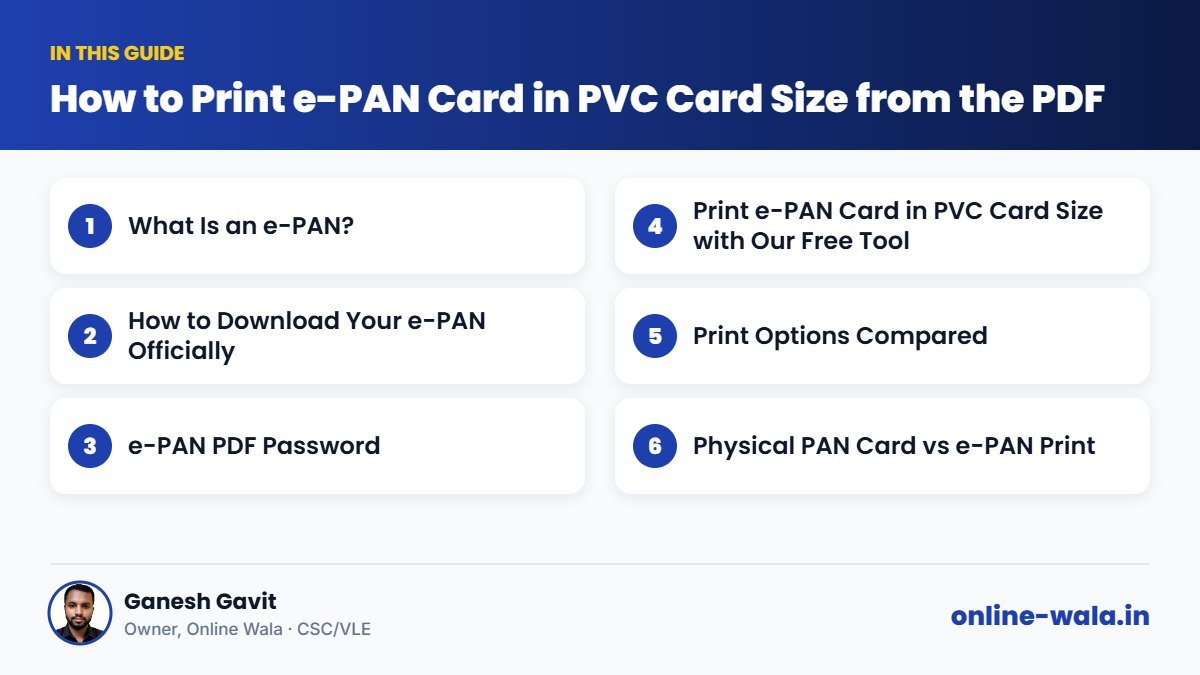
What Is an e-PAN?
An e-PAN is a digitally signed electronic PAN card issued in PDF format. It contains the PAN, name, father's name (where applicable), date of birth, photo and signature, along with a QR code. As per the Income Tax Department, e-PAN is a valid form of PAN. You can get it in three common ways:
| Source | When you get it | Where to download |
|---|---|---|
| Protean (formerly NSDL e-Gov) | PAN applied through Protean | Protean's official e-PAN download page |
| UTIITSL | PAN applied through UTIITSL | UTIITSL's official PAN website |
| Instant e-PAN | PAN allotted using Aadhaar on the e-filing portal | incometax.gov.in – Instant e-PAN section |
Some download services may be free for a limited period after allotment and charge a small fee later. Check the official website for the latest process and charges.
How to Download Your e-PAN Officially
- Identify which agency issued your PAN (the email or acknowledgement usually says Protean/NSDL or UTIITSL). If you got Instant e-PAN with Aadhaar, use the Income Tax e-filing portal.
- Open the official e-PAN download page of that agency.
- Enter your PAN or acknowledgement number, date of birth and other details asked.
- Verify with the OTP sent to your registered mobile or email.
- Download the e-PAN PDF.
Never download PAN from unknown websites or share your OTP with anyone who calls you.
e-PAN PDF Password
For individuals, the e-PAN PDF password is normally your date of birth in DDMMYYYY format, without slashes or spaces. For example, a person born on 5 March 1992 would enter 05031992. For companies and firms, the date of incorporation or formation is used in the same format. If it does not work, check the instructions in the email or on the download page.
Print e-PAN Card in PVC Card Size with Our Free Tool

Our free tool to print e-PAN card in PVC card size (e-PAN Card Cutter) handles the PDF from Protean and UTIITSL:
- Open the e-PAN Card Cutter.
- Upload your e-PAN PDF.
- Enter the password (date of birth as DDMMYYYY).
- The tool finds the PAN card part of the page. Adjust the crop if needed.
- Choose the output: PVC printer, 4×6 photo paper or A4 sheet for bulk printing.
- Download and print at 100% / actual size.
The printed card is 85.6 × 54 mm, the same size as an ATM card, so it fits any wallet.
Print Options Compared
| Option | Durability | Best for |
|---|---|---|
| PVC card printer | Very high | Busy CSC and print centres |
| Inkjet PVC sheet | High | Centres with compatible inkjet printers |
| 4×6 photo paper + lamination | Medium | Single cards at good quality |
| A4 card sheet + lamination | Medium | Bulk printing for many customers |
Common Mistakes
- Wrong password format – using DD/MM/YYYY with slashes, or YYYYMMDD.
- Taking a screenshot of the PDF and printing it – blurry text and wrong size.
- Printing with "fit to page" – card size changes.
- Cutting off the QR code while cropping by hand.
- Editing details on the PDF. PAN corrections must be done through the official correction process.
- Downloading from unofficial sites – a privacy and fraud risk.
Physical PAN Card vs e-PAN Print
If you want an original physical PAN card, you can request a reprint through the official agency, usually for a fee. A self-printed e-PAN card is a convenient copy of your digitally signed e-PAN. For most online services, the e-PAN PDF itself is accepted. Keep the original PDF safely, because the digital signature is valid only in the PDF.
Tips for CSC and VLE Operators
- Ask which agency issued the PAN before trying to download – it saves time.
- Bulk printing: Use the A4 layout to print several customers' cards on one sheet.
- Alignment test: Print once on plain paper and measure 85.6 × 54 mm before using PVC.
- Use a corner rounder for a professional finish.
- Explain honestly that your print is a copy of the e-PAN and that the official physical card can be ordered from the issuing agency.
- Delete PDFs after printing and never reuse customers' PAN details.
Real Example from Our CSC Centre
A small shop owner got an Instant e-PAN using Aadhaar and wanted a card for his bank's current account opening. He had tried printing the PDF at a shop, and the card came out tiny on an A4 page. We downloaded the e-PAN again from the official e-filing portal, opened it with his date of birth, cropped it with the e-PAN Card Cutter and printed it on a PVC sheet at actual size. He also kept the PDF on his phone for online KYC.
Why PAN Matters in Daily Life
PAN is needed for many common tasks: opening a bank account, depositing large amounts of cash, buying or selling property, investing in mutual funds, filing income tax returns and completing KYC for many financial services. Small shopkeepers, farmers selling produce and workers receiving payments may all be asked for it. Having a neat card copy and the e-PAN PDF on the phone saves repeated visits.
Also remember the rule about linking PAN with Aadhaar. The Income Tax Department has required most individuals to link the two, and an unlinked PAN can face restrictions. You can check the link status on the official e-filing portal. Follow the department's latest instructions on incometax.gov.in.
Keeping Your PAN Safe
PAN details can be misused for fraud, such as taking loans in your name. Share a PAN copy only where it is really required, and write the purpose on photocopies ("For bank KYC only") along with your signature. Do not post your PAN card photo on social media or in groups. Check your credit report occasionally if you suspect misuse.
Frequently Asked Questions
What is the password for an e-PAN PDF?
For individuals, it is usually the date of birth in DDMMYYYY format, such as 05031992. For companies and firms, the date of incorporation in the same format.
Is e-PAN valid?
Yes. As per the Income Tax Department, e-PAN is a valid form of PAN. It is digitally signed.
What size should a PAN card be printed at?
85.6 mm × 54 mm, the standard ID-1 card size.
Where can I download my e-PAN?
From the agency that issued your PAN – Protean or UTIITSL – or from the Income Tax e-filing portal for Instant e-PAN.
Can I print e-PAN on a PVC card at home?
Yes, if you have a compatible inkjet printer with PVC sheets or a PVC card printer. Crop to exact size and print at actual size.
How do I correct my name or date of birth on PAN?
Apply for correction through the official PAN correction process of Protean, UTIITSL or as guided on the Income Tax portal.
Does Online Wala store my PAN?
The tool processes the PDF only to cut it for printing. Never share OTPs or passwords with anyone.
Conclusion
An e-PAN is quick to get and fully valid, and with the right steps it also makes a neat wallet card. Download it from the official source, open it with your date of birth, and crop it to exact size. Use our free tool to print e-PAN card in PVC card size, and if you also need Aadhaar, try the Aadhaar Card Cutter.
Online Wala is not affiliated with the Income Tax Department, Protean, UTIITSL or any government department. Check the official website for the latest process.

Ganesh Gavit
Owner, Online WalaFounder of Ganesha Digital. Creates software, apps and ready-to-use templates for businesses, students and CSC/VLE operators.